 ClipMany
Tired of creating videos that get 0 views?
Turn one clip into many.
Repurpose one video into multiple distinct versions — new pixels, new sound, new file details, made in your browser — and export them together. More to post, without editing every video from scratch.
✓ No watermark ✓ No credit card ✓ Nothing to install
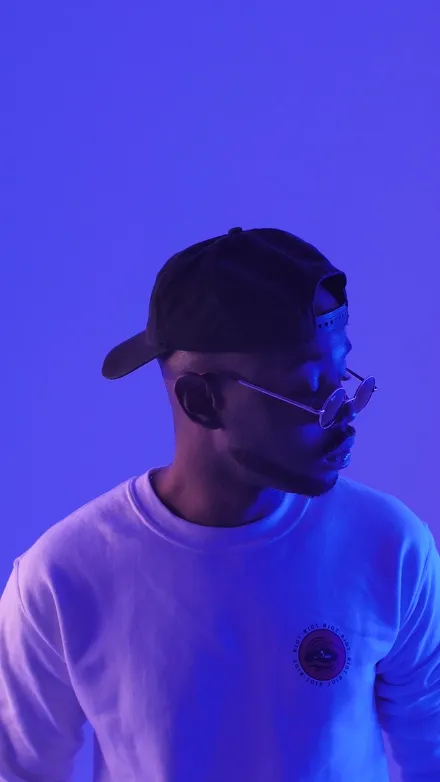



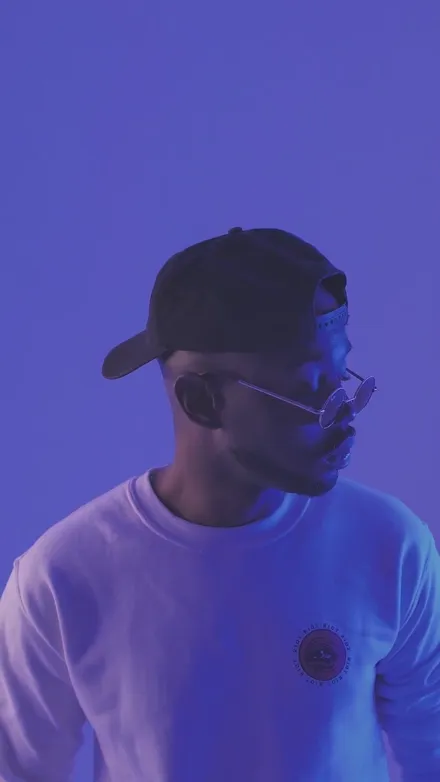
One clip. A whole new batch of content.
Take the video you already made and turn it into multiple distinct versions — different looks, crops and formats — from a single export.


Real exports from this studio — one source clip, cropped and graded per file.
Post it again — without posting the same file again.
Every export is its own file. A different crop, a different grade, a different audio pass, different file details. So when you want the same idea in a second place — another account, another format, another hook — you're not re-uploading the same video.
- Different pixels. Each copy gets its own grade, framing and micro-jitter.
- Different sound. The audio pass shifts the EQ, pitch and noise floor per copy.
- Different file. Fresh container, fresh metadata, its own name.
Post 1
Post 2
Post 3
To be clear: these are genuinely different files — not the same upload twice. How a platform classifies or ranks a post is decided by that platform, not by the file, and ClipMany makes no promise about it. Posting the same material in volume? Read the platform's rules on unoriginal content first.
Your content shouldn't end after one post.
If any of these sound familiar, you're the reason ClipMany exists.
"I spent hours editing — and it got a handful of views."
You made something good. You posted it once, then started over from nothing.
"I need fresh content for several accounts."
Same message, different accounts and placements — and each one needs its own file.
"I'm tired of making every video from scratch."
Editing time grows faster than output, and posting volume never catches up.
From one video to many, in three steps.
No timeline to learn. No plugins. It runs in the browser.
Add your video
Drop in a clip you already made — MP4, MOV, MKV, WebM, even a GIF or a still image.
Make it your way
Pick the formats, looks, effects and framing. Choose how many copies you want of each combination.
Export your batch
Every file is named and organised, ready to post. One export, the whole set.
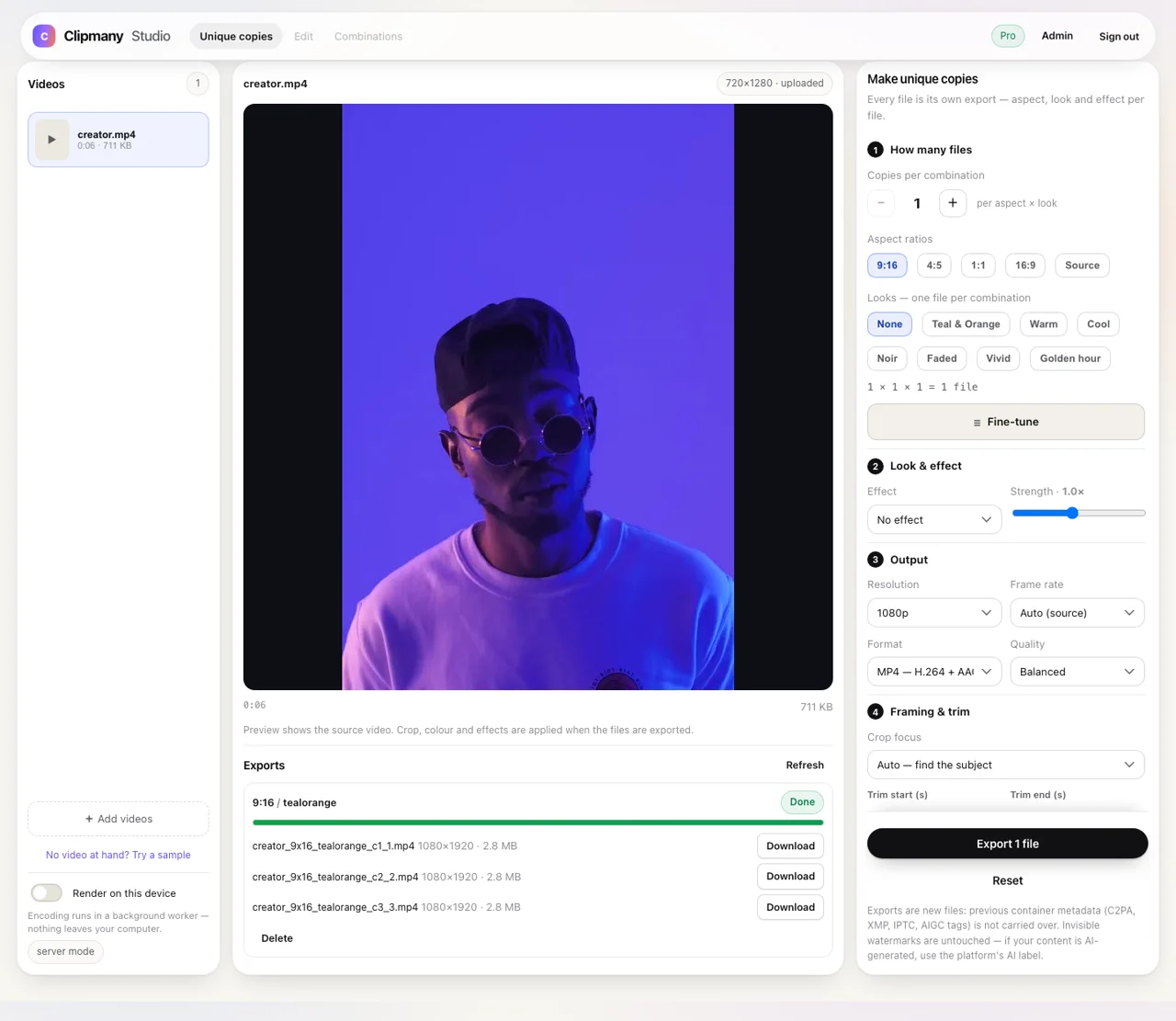
Everything you need to repurpose smarter.
Built around one idea: get more usable posts out of the footage you already shot.
Many versions, one source
Pick several formats and looks and ClipMany renders each combination as its own file. Need more? Ask for extra copies per combination — up to 10 variants on Pro.
One batch, not twenty exports
Queue the whole set and download it together. Up to 100 files per batch on Pro.
Looks that change the feel
Seven colour grades and five effects — grain, vignette, sharpen, soft focus, film — with a strength slider.
Ready for every feed
9:16, 4:5, 1:1, 16:9 or the original frame, at 720p, 1080p or source resolution.
Framing that follows the subject
Auto framing finds the subject and keeps it in shot. Prefer control? Place the crop yourself, or blur-fill the edges.
Rendered on your device
In local mode the pixels and the sound are processed in your browser — your video never leaves your computer. Prefer the server? It renders there and the file is deleted within 24 hours.
Files that make sense later
Names carry the format and look — clip_9x16_tealorange_1.mp4 — so you still know what each file is a week from now.
Your content. Ready for every feed.
Each aspect is a real export at a real size — not a stretched copy of the same file.



Platform names describe where the files fit. ClipMany doesn't post or connect to any platform.
Built for people who post more.
One person testing ideas, or a team shipping for several accounts.
Content creators
Spend less time remaking videos and more time testing which version lands.
Faceless creators
Turn one recording into several visually distinct posts, without filming again.
UGC & affiliate creators
Create multiple campaign-ready variations from a single product video.
Social media managers
Prepare a batch of video assets for different accounts and placements in one pass.
Agencies
Deliver organised batches of variations without repetitive export work.
Small teams
Keep the whole workflow in a browser tab — nothing to install, nothing to maintain.
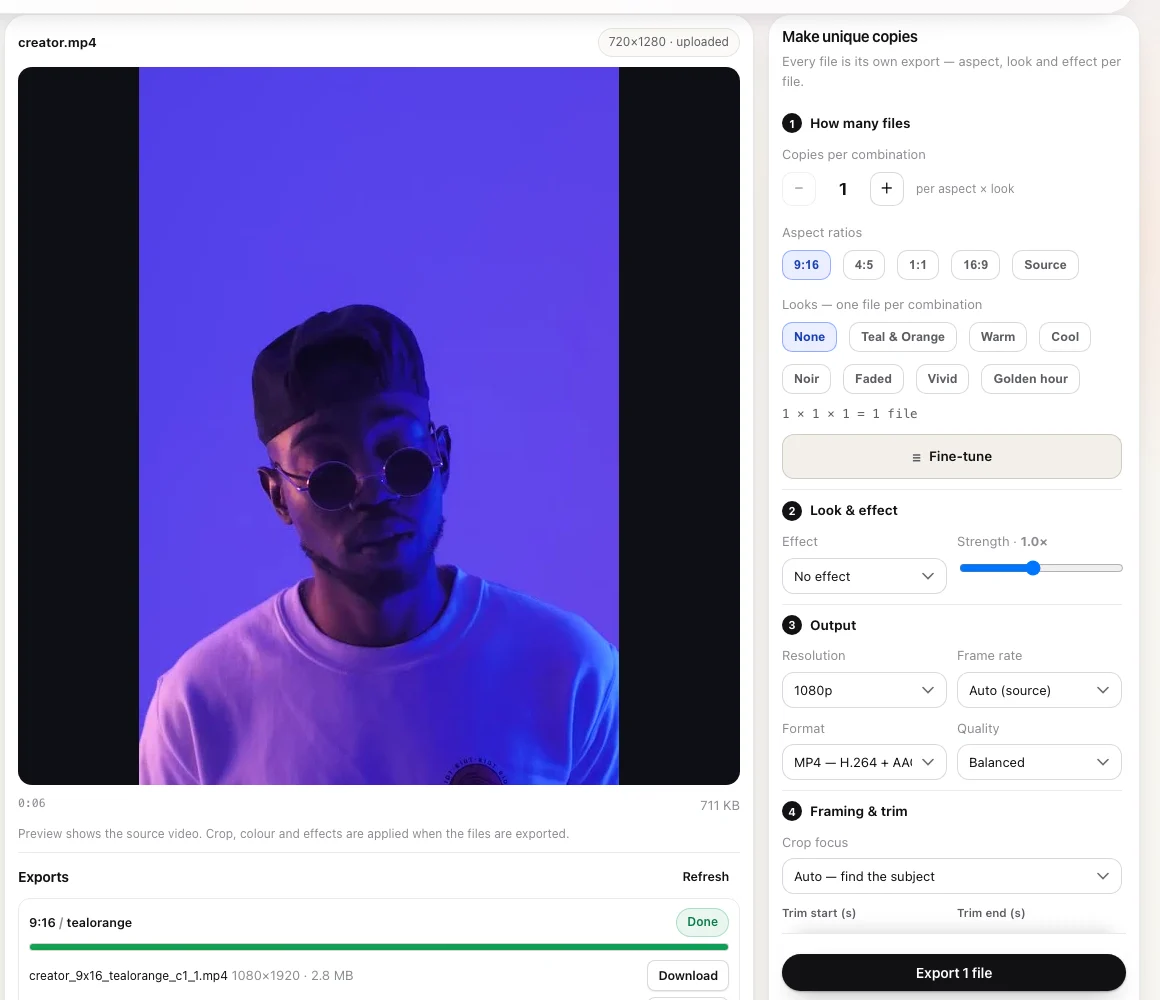
A real studio. Without the complicated timeline.
No tracks, no keyframes, no learning curve. One source on the stage, your settings in a panel, and the finished files listed with their resolution and size.
- Preview before you spend a batch. The stage shows the source, the framing and the export settings in one screen.
- Know what you're getting. Every file lists its resolution and size before you download it.
- Nothing to install. It's a web app — your settings, formats and history stay with your account.
Start free. Scale when you're ready.
Every format, look and effect is in both plans. Pro removes the waits and the caps.
Free
- ✓ 10 exports a day, 20 a week
- ✓ 3 variants per export
- ✓ 5 files per batch
- ✓ Every aspect, look and effect
- ✓ MP4, GIF and still images
Short wait between exports on Free.
Pro
BEST FOR VOLUME- ✓ Unlimited exports, no waits
- ✓ 10 variants per export
- ✓ Up to 100 files per batch
- ✓ Everything in Free
- ✓ Priority support
Upgrade any time. Cancel any time.
Variants are the different combinations you pick (format × look). Copies are extra renders of the same combination. Files per batch is the total the export can produce.
Straight answers.
What does ClipMany actually do?
It takes one video and exports several distinct versions of it: different aspect ratios, different colour grades and effects, different crops, different frame rates or speeds. You pick the combinations, ask for copies, and download the whole batch.
How is this different from a video resizer?
A resizer makes one file fit one frame. ClipMany is built around output: several versions from the same source, each with its own crop, grade and encode, exported as a named set you can post.
Can I create multiple versions of the same video?
Yes — that's the point. Choose formats and looks, then set how many copies you want of each combination. Free allows 3 variants per export; Pro allows 10 variants and up to 100 files per batch.
Will these files work on TikTok, Instagram and YouTube?
Yes. You get normal MP4 files (H.264 + AAC) at the aspect and resolution you chose, plus GIF or still-image output if that's what you need. ClipMany doesn't post for you — you upload the finished files wherever you publish.
Is there a watermark?
No. Nothing is added to your video, on Free or Pro.
Does ClipMany upload my videos?
In local mode — the default — no. Your browser crops, grades, adjusts the sound and encodes the file, then saves it straight to your computer; no copy reaches our server.
Some things still need a server: auto framing, speed changes, blurred fill and GIF export. When one of those is used, that file is uploaded, rendered here, and deleted within 24 hours. It is never sent to a third-party AI service.
What's the difference between Free and Pro?
Free is the full studio with limits: 10 exports a day, 3 variants per export, 5 files per batch, and a short wait between exports. Pro is $29/month or $290/year with unlimited exports, no waits, 10 variants and up to 100 files per batch.
Which formats can I import?
MP4, MOV, MKV and WebM video, plus GIF and still images (JPG, PNG, WebP). Output is MP4 (H.264 + AAC), GIF or a still image.
Can I cancel Pro?
Yes, at any time. You keep Pro until the end of the period you paid for, then the account drops back to Free — your exports and files stay yours.
Can I post the same video more than once?
You can export as many versions as your plan allows, and each one is a distinct file — different pixels, different sound, different metadata. Posting two of them is not posting the same file twice.
What a platform does with those posts is its decision, not the file's. ClipMany doesn't claim they'll be treated as new, and it can't. If you plan to post the same material at volume, read the platform's rules on unoriginal content — they apply to reposts of your own material too.
Can I repurpose videos I didn't create?
Only with the rights to do so. ClipMany is built for repurposing your own footage, or content you have permission to use. What you export and publish is your responsibility.
Does ClipMany guarantee more views?
No, and no tool can. ClipMany creates distinct files and creative variations. Platforms decide independently how content is classified, recommended and distributed — nothing here changes that.
Does it remove AI labels or C2PA credentials?
Every export is written as a new file, so container-level provenance (C2PA, XMP/IPTC, AIGC tags from other apps) is not carried over. Invisible watermarks inside the picture or sound are untouched, and platforms may still detect AI content on their own.
If your video was made with AI, disclose it with the platform's AI label. That duty is yours — we don't remove watermarks and we don't sell this as a way around AI labels.
You already made the video.
Now make more from it.
Turn your existing footage into multiple ready-to-post versions with ClipMany.
✓ No watermark ✓ No credit card